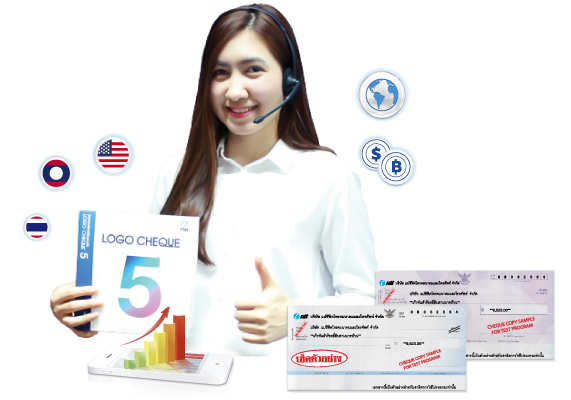
เพิ่มอัตลักษณ์ให้แบรนด์ของคุณเป็นที่รู้จักและน่าจดจำมากยิ่งขึ้น ทั้งยังช่วยจำแนกการจ่ายเช็คอย่างง่ายดาย ในกรณีที่บริษัทมีโลโก้แตกต่างกันในเครือ ลดความสับสน และยากต่อการปลอมแปลง

โดยปกติผู้ใช้เช็คมักเลือกใช้เช็คจากหลายธนาคาร และถ้าต้องการพิมพ์โลโก้ด้วย จำเป็นจะต้องซื้อเช็คเป็นจำนวนมาก ทำให้มีค่าใช้จ่ายสูง

ข้อมูลเช็คที่เคยพิมพ์จะถูกจัดเก็บไว้ในระบบ พร้อมที่จะเรียกขึ้นมาใช้งานสำหรับการจ่ายเช็คครั้งใหม่ได้ตลอดเวลา

เพียงคุณพิมพ์จำนวนตัวเลข ตัวหนังสือจะแสดงขึ้นมาโดยอัตโนมัติ ซึ่งเป็นจุดสำคัญที่มักจะเกิดความผิดพลาด

วางแผนการจ่ายเช็คล่วงหน้าได้ จากการตรวจสอบวงเงินคงเหลือในระบบ ทำให้ทราบข้อมูลก่อนจ่ายเช็คทุกครั้ง เพื่อป้องกันปัญหาเช็คเด้ง

สามารถตั้งค่าให้รายงานได้ทั้งแบบรวมและแบบแยกออกไปตามประเภทต่างๆ เช่น แยกตามบริษัท แยกตามธนาคาร แยกตามวันเดือนปี แยกตามค่าใช้จ่าย เป็นต้น

โปรแกรมโลโก้เช็คสามารถรองรับการทำงานในหน่วยงานราชการได้อย่างมีประสิทธิภาพ โดยมีผู้ใช้งานจริงที่เป็น อบต. เทศบาล และหน่วยงานราชการทั่วประเทศ

สามารถพิมพ์ใบหักภาษี ณ ที่จ่าย จากฐานข้อมูลลูกค้าภายในโปรแกรมได้ เพื่ออำนวยความสะดวกในการใช้งาน


เป็นเครื่องพิมพ์ชนิดแรกที่ถูกผลิตขึ้นมาใช้งาน โดยการทำงานจะใช้หัวเข็มกระแทกเข้ากับผ้าหมึกส่งไปยังกระดาษ

เป็นเครื่องพิมพ์ที่ทำงานโดยการพ่นหมึกออกมาเป็นหยดเล็กๆ ลงบนกระดาษ

เป็นเครื่องพิมพ์ที่มีรูปแบบการทำงานคล้ายกับเครื่องถ่ายเอกสาร คือ การใช้ระบบฉายแสง โดยมีแหล่งกำเนิดแสงเป็นเลเซอร์

 โรงพยาบาลปิยะมินทร์
 บริษัท เครื่องดื่มกระทิงแดง
 Hino Motors Sales ( Thailand ) Ltd.
  บริษัท ไทยบริดจสโตน จำกัด
 Itochu Management (Thailand) Co Ltd
 บ้านเบญญาภา
 Benyapa Property
  เทศบาลตำบลท่าข้าม
 Bridgestone A.C.T (Thailand) Co.,Ltd.
 เด็กซ์ เอ็นจิเนียริ่ง
 เทศบาลนครสมุทรปราการ
 CTI Logistic
  JET COMPUTER PLUS CO.,LTD.
 โรงแรมเซ็นทรัลพลาซ่า
 บริษัท สกายบุ๊กส์ จํากัด
 ปทุมดีไซน์ ดีเวลลอป
 เทศบาลตำบลบางเสาธง
 Calbee Tanawat Co.,Ltd.
  โรงพยาบาลบางปะกงปิยเวช
 โตโยต้านนทบุรี ผู้จำหน่ายโตโยต้า
 องค์การค้าของ สกสค. / ศึกษาภัณฑ์พาณิชย์
 marketeer
 จุฑามาศ จำกัด
 GlaxoSmithKline
 โรงพยาบาลจุฬารัตน์
 Giffarine Skyline Unity Co., Ltd.
 บริษัท ไทยออยล์ จำกัด (มหาชน)
 เทศบาลนครนครศรีธรรมราช
 บริษัท ยูไนเต็ดคอยล์เซ็นเตอร์ จํากัด
 เทศบาลนครลำปาง